Click‑to‑Ship: Smarter Order Fulfillment with No‑Code

Today we dive into automating order fulfillment for small e‑commerce businesses using no‑code tools, showing how simple integrations can connect carts, inventory, shipping, and customer updates. With practical workflows, battle‑tested tips, and a friendly voice, you’ll see how to reduce errors, ship faster, and enjoy more time for growth. We’ll explore proven setups with Zapier, Make, Shopify Flow, Airtable, and shipping platforms, and invite your questions so we can tailor future guidance to your store’s unique quirks and ambitions.

Map the Journey from “Buy Now” to Doorstep
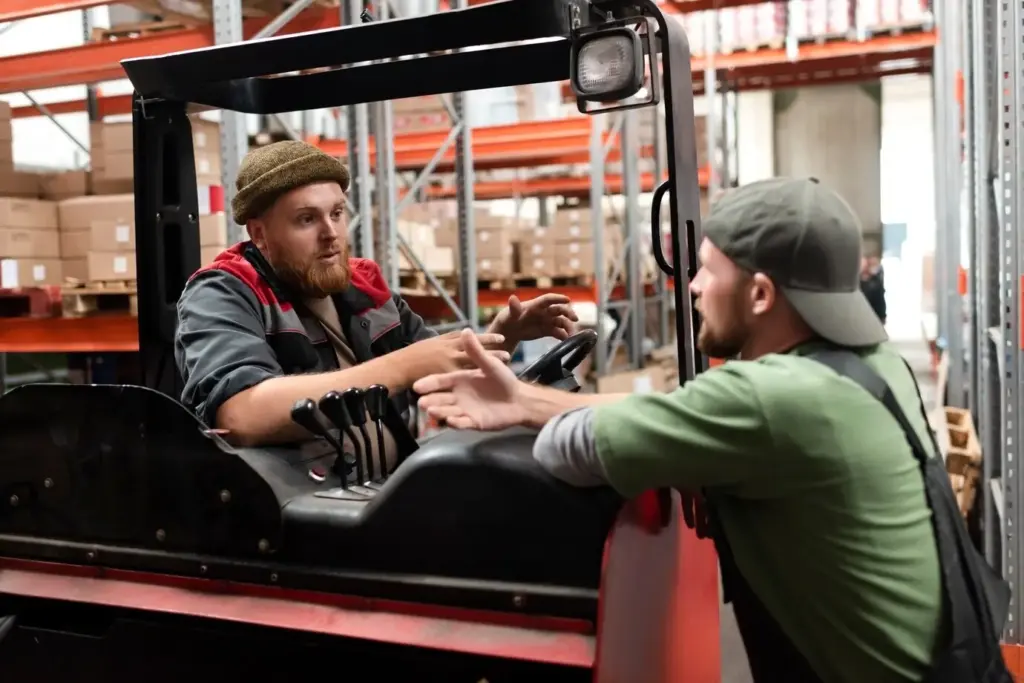
Before any automation, chart the exact path an order takes from confirmation to the moment a happy customer receives tracking. Identify who touches the data, which systems own truth, where mistakes creep in, and what success should look like. Clarity here multiplies the impact of every no‑code workflow you build, protecting your margins, delighting customers, and giving you confidence to iterate without breaking the business during peak moments.

Choosing a Lean No‑Code Stack That Plays Nicely

Pick tools that integrate reliably, handle retries gracefully, and offer transparent logs. Zapier and Make excel at cross‑app orchestration; Shopify Flow is strong for native store events. Airtable or SmartSuite can become your lightweight operations database, while Google Sheets supports simpler catalogs. For labels and rates, Shippo or EasyPost shine. Focus on interoperability, cost per task, governance features, and how easily non‑engineers can adjust logic when your catalog or shipping rules evolve.

Building the Automation: From Prototype to Production

Start small, prove value, and scale thoughtfully. Create a single golden path for the most common order type, instrument it with logs, and share screenshots so teammates understand what’s changing. Add guardrails like sensible timeouts, clear fallbacks, and notifications to Slack when exceptions appear. Once stable, expand to variants, bundles, and preorders, always testing with sample payloads. This cadence prevents chaos and builds trust in your new order pipeline.

Syncing Stock Across Channels

Connect your store, marketplace listings, and POS to one inventory brain. On each order, decrement components, not just parent SKUs. Trigger updates via webhooks to avoid stale counts, and buffer low‑stock thresholds to protect peak traffic. This disciplined rhythm averts oversells, guides purchasing, and keeps marketing campaigns honest about availability, which in turn reduces cancellations and maintains the trust you worked hard to earn.

Handling Kits, Variants, and Preorders

Represent bundles as composition rules so automations deduct the right components during picks. Variants should carry packing instructions, dimensional data, and fragile flags for safer label choices. For preorders, automate acknowledgment emails with realistic windows and let customers self‑manage address changes. Clear data models make these flows dependable, protecting margins, and freeing staff from complex manual calculations that slow fulfillment and generate avoidable mistakes at scale.

Safety Nets for Low‑Stock Surprises

Create alerts when counts fall below buffer, automatically pause ads for threatened SKUs, and tag incoming orders that require split shipments or substitutions. Route these to a review queue rather than blocking everything. Customers appreciate honest updates more than silent delays, and your team benefits from predictable triage while automations handle the straightforward cases that still represent the vast majority of daily orders.

Delight Customers with Timely, Transparent Updates

Clear communication turns fast shipping into memorable service. Automate confirmations that explain next steps, send tracking as soon as labels print, and offer realistic windows based on carrier performance, not wishful thinking. Use plain language, brand voice, and accessible formatting. Add thoughtful touches like packing notes for gifts. These consistent updates reduce support tickets, increase repeat purchases, and inspire reviews that strengthen your store’s credibility in crowded marketplaces.

Core KPIs That Fit a Small Shop

Focus on a handful of numbers: median time from payment to label, percent of same‑day dispatch, mispick rate, and average tickets per order. Visualize in Airtable or a simple dashboard your team checks daily. These indicators reveal where attention pays off fastest, guiding whether to refine scans, tweak batching rules, or invest in better bins before the next growth spurt arrives.

Alerts that Wake You Only for Real Issues

Set thresholds that match your promise to customers. If label purchases queue longer than expected, notify operations with direct links to affected orders. Suppress noise for transient API hiccups by relying on retries and backoff. This calm alerting culture prevents burnout, encourages thoughtful troubleshooting, and keeps everyone focused on the rare moments that truly require human judgment and quick coordination.

Cost Modeling and When to Add a Human in the Loop

Compare monthly app charges and task fees to hours saved across packing and support. For tricky categories or luxury SKUs, insert a manual checkpoint triggered by certain tags or high values. The right blend of automation and intentional human review protects brand reputation, keeps margins healthy, and gives you flexibility to scale without sacrificing the personal touches customers remember and share.

Retuleremuputonexoxozi
Privacy Overview

This website uses cookies so that we can provide you with the best user experience possible. Cookie information is stored in your browser and performs functions such as recognising you when you return to our website and helping our team to understand which sections of the website you find most interesting and useful.